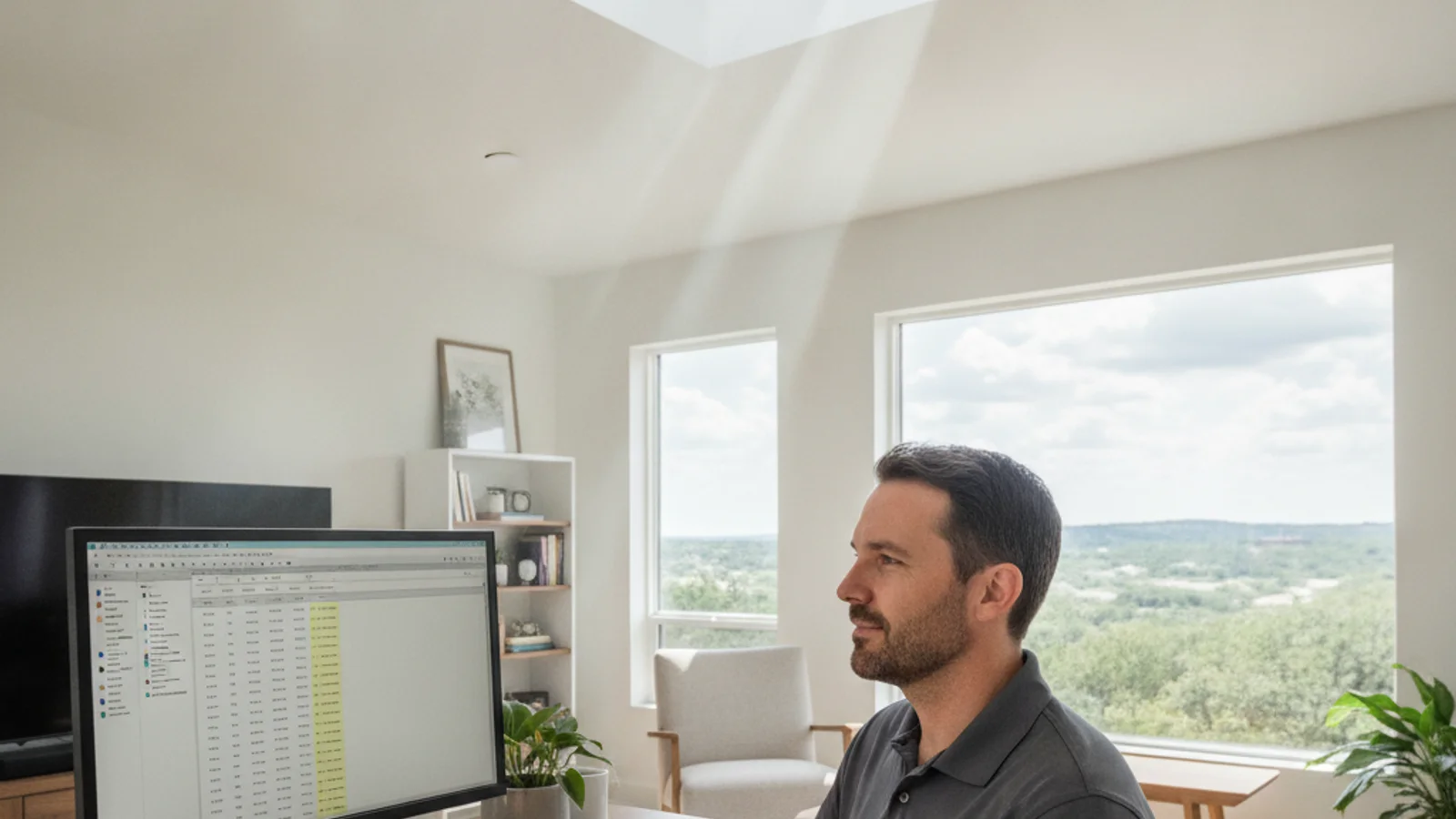
A skylight can genuinely improve a home office. It can also genuinely ruin it, depending on where the light lands. Placement and shading choice decide whether a skylight adds usable daylight to a workspace or just adds glare on a monitor and washes out a video call.
Why overhead light behaves differently on camera than to the eye
In person, direct overhead daylight can feel bright and pleasant without seeming like a problem. On a video call, that same light source creates harsh top-down shadows across your face and blown-out highlights on your forehead and shoulders, while a camera’s automatic exposure struggles to balance a bright ceiling opening against a dimmer face below it. It’s a common surprise for anyone who’s added a skylight to a home office without thinking through the camera angle first: the room looks great to a visitor standing in it, and looks worse on a call than the room did with a lamp.
Placement strategy that actually helps
The single biggest lever here is where the skylight sits relative to the desk, not whether to have one at all. Offsetting the opening from the direct position above the desk, rather than centering it right over where you sit, keeps daylight in the room without putting a bright source directly overhead during calls. When the room layout allows it, positioning the skylight closer to a side wall or a secondary work area, rather than dead center over the primary desk, spreads useful ambient light through the space without creating the harsh top-down effect at the one spot where it matters most.
When placement can’t be changed: shading is the fix
Not every room layout gives you the option to move the skylight’s position, especially in a converted spare bedroom where the desk location is fixed by the existing outlets and layout. In that case, a diffusing or light-filtering skylight shade over a directly-positioned skylight is the practical fix. Rather than blocking the light entirely, a light-filtering shade scatters direct sun into softer, more even illumination, which reduces both the glare problem and the harsh-shadow problem without turning the room dark for the rest of the day.
What happens when the room has more than one skylight
Some larger converted spaces or additions built as a home office from the start end up with more than one skylight or a skylight plus windows already in the room, which changes the glare calculation. Multiple light sources from different angles can actually reduce harsh single-source glare by filling in shadows from more than one direction, similar to how professional video lighting setups use multiple softer sources rather than one strong one. If you’re planning an office addition with daylighting built in from the start, spreading light across two smaller sources rather than one large skylight directly over the desk is worth discussing with your installer as a glare-reduction strategy in its own right.
Solar tube as an alternative
For a home office where no skylight placement really solves the glare problem, a solar tube is worth considering as a genuinely different option, not just a smaller substitute. A solar tube installation produces softer, more evenly diffused light by nature of how it works, reflecting daylight down through a tube rather than admitting it directly through a single glazed opening. That diffuse quality tends to create less glare risk on camera than a direct skylight positioned close to a desk, while still meaningfully brightening a room that would otherwise rely entirely on lamps and overhead fixtures.
Time of day and seasonal sun angle matter too
Glare isn’t a constant, fixed problem. It shifts through the day as the sun’s angle changes, and it shifts seasonally too, since a high summer sun and a lower winter sun hit a roof-mounted skylight from meaningfully different angles. A skylight that causes glare during a mid-morning video call might be perfectly fine by early afternoon, and the reverse pattern is just as common depending on the skylight’s orientation. If your work-from-home schedule includes calls at a fairly consistent time of day, it’s worth thinking through where the sun sits at that specific hour before finalizing placement, rather than assuming the problem is constant throughout the day.
Screen position and desk orientation as part of the solution
Skylight placement and shading aren’t the only variables worth adjusting. Where your monitor sits relative to the skylight matters just as much. A monitor facing directly toward a skylight tends to pick up more washout and reflection than one angled away from the light source, even under identical skylight placement and shading. If you’re setting up a home office around a skylight that’s already installed, experimenting with desk and monitor orientation before assuming you need a hardware fix is a reasonable, no-cost first step.
Artificial lighting as a complement, not a competitor
A well-lit home office on camera usually blends daylight with some artificial fill light, rather than relying entirely on one or the other. A ring light or a simple desk lamp positioned to fill in shadows that a skylight creates can solve a lot of the harsh-shadow problem without touching the skylight or shade at all. Thinking of the skylight as one part of the room’s overall lighting setup, not the sole light source, often leads to a better outcome than trying to solve glare through skylight placement alone.
Where this shows up most in Austin
Converted spare bedrooms and closed-off nooks that became home offices are common across the metro’s housing stock, and a lot of those rooms were never designed with a desk or a monitor position in mind. That mismatch between the original room design and its new use is exactly why glare and placement issues come up more often in a converted office than in a room built as a study from the start. It’s worth thinking through desk position and camera angle before finalizing skylight placement, rather than after the roof is already open.
Testing before you commit to a permanent fix
If you’re dealing with glare in an already-installed skylight and aren’t sure whether shading, desk repositioning, or a bigger change is the right call, it’s worth testing cheaply before spending on anything permanent. Hanging a temporary sheet or a spare piece of fabric over the skylight during a call, just to see how much it helps, can tell you a lot about whether a light-filtering shade will actually solve the problem before you commit to buying and installing one. Similarly, physically moving your desk and monitor to a few different positions in the room for a day or two, even temporarily, can reveal a workable arrangement you hadn’t considered without spending anything at all.
Does a skylight always cause screen glare?
No. Glare depends heavily on where the skylight sits relative to the desk and monitor, and on whether the glazing is shaded. A well-placed, well-shaded skylight can add daylight to a home office without creating meaningful glare, while a poorly placed one directly over a desk often does.
Can shades fix glare without blocking the light entirely?
Yes, that’s generally the point of a light-filtering or diffusing shade as opposed to a full blackout shade. It scatters direct sun into softer ambient light rather than eliminating it, which addresses the glare and harsh-shadow problem while still keeping the room bright.
Is a solar tube better than a skylight for a home office?
It depends on the room. A solar tube’s inherently diffuse light tends to create less glare risk near a desk, but a full skylight offers more total light and, on some models, a view. For a room where placement options are limited, a solar tube is often the lower-risk choice specifically for camera and glare concerns.
Getting the placement right the first time
If you’re planning a home office daylighting project, the placement conversation is worth having before the roof opens, not after. Bright Sky ATX connects Austin homeowners with experienced, insured local crews for skylight blinds and shades and solar tube installation alike. Call (737) 477-8898 for a free estimate.